Why PHP Version Matters for Your Business Website
Every website built on PHP, whether it’s a WordPress blog, a WooCommerce store, or a custom web application, relies on the PHP engine running on your hosting server to process every page request. When that engine is outdated, your website becomes slower, less secure, and increasingly incompatible with the software it depends on. When it’s current, everything runs the way it should.
At Serverfreak, we continuously upgrade our Shared Hosting infrastructure to give our clients access to the latest and most secure PHP releases. We’re excited to share that our shared hosting environment now supports PHP 8.5, currently the newest stable branch in the PHP ecosystem.
What is PHP and Why It Matters
If your website runs on platforms like WordPress, WooCommerce, Laravel, or any PHP-based system -PHP is the engine behind everything.
Every time someone visits your website, PHP is responsible for:
- Generating dynamic content
- Processing forms and payments
- Connecting to your database
- Running plugins, themes, and business logic
In short: PHP powers the entire experience your users see.
And just like any engine, if it’s outdated, everything slows down or breaks.
⚠️ The Risk of Using Outdated PHP Versions
Many websites today are still running on outdated PHP versions, which can expose businesses to:
- Security vulnerabilities
- Performance issues
- Incompatible with newer plugins or updates
For example, newer platforms like WordPress are now built and tested with the latest PHP versions, meaning older versions are no longer fully supported.
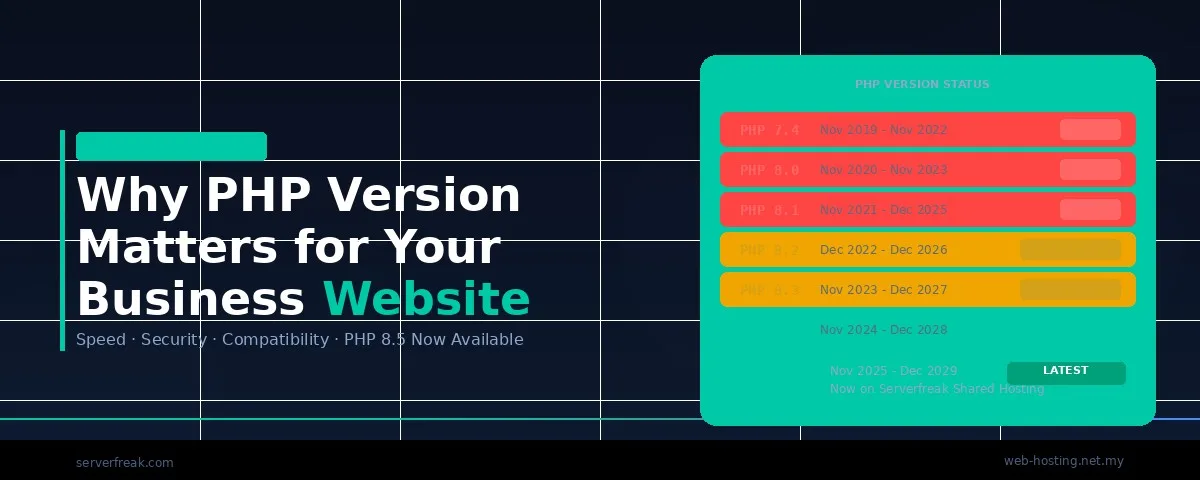
PHP Version Support Timeline
Understanding when each PHP version loses support helps you plan upgrades before they become emergencies. Here’s the current lifecycle as of April 2026:
| PHP Version | Released | Active Support Until | Security Fixes Until | Current Status |
| 5.6 | Dec 2014 | Dec 2016 | Dec 2018 | EOL — HardenedPHP patched |
| 7.0 | Dec 2015 | Dec 2017 | Dec 2018 | EOL — HardenedPHP patched |
| 7.1 | Dec 2016 | Dec 2018 | Dec 2019 | EOL — HardenedPHP patched |
| 7.2 | Nov 2017 | Nov 2019 | Nov 2020 | EOL — HardenedPHP patched |
| 7.3 | Dec 2018 | Dec 2020 | Dec 2021 | EOL — HardenedPHP patched |
| 7.4 | Nov 2019 | Nov 2021 | Nov 2022 | EOL — HardenedPHP patched |
| 8.0 | Nov 2020 | Nov 2022 | Nov 2023 | EOL — HardenedPHP patched |
| 8.1 | Nov 2021 | Nov 2023 | Dec 2025 | EOL — HardenedPHP patched |
| 8.2 | Dec 2022 | Dec 2024 | Dec 2026 | Security fixes only |
| 8.3 | Nov 2023 | Dec 2025 | Dec 2027 | Security fixes only |
| 8.4 | Nov 2024 | Dec 2026 | Dec 2028 | Active support |
| 8.5 | Nov 2025 | Dec 2027 | Dec 2029 | Active support (latest) |
✅ What’s New in PHP 8.5
PHP 8.5 isn’t just an update. It introduces meaningful features that improve how PHP applications are written, debugged, and executed:
Key Benefits of PHP 8.5
1. Faster Performance
PHP 8.5 processes requests more efficiently, meaning:
- Faster page load times
- Better user experience
- Improved SEO rankings
2. Stronger Security
With active support, PHP 8.5 receives the latest:
- Security patches
- Bug fixes
- Protection against new vulnerabilities
3. Cleaner, Smarter Code Execution
New features help developers build more reliable applications, reducing bugs and improving stability.
4. Built-in Performance Boost (OPcache)
OPcache is now built-in by default, improving execution speed without extra configuration.
5. Modern Development Features
Enhancements like:
- Pipe operator for cleaner logic
- Improved object handling
- Better debugging safeguards
All contribute to more stable, scalable websites.
🔄 Flexibility with Multi-PHP Support
We understand that not every application can switch to PHP 8.5 overnight. Legacy code, older plugins, or custom applications may need testing or modification before they’re compatible.
That’s why Serverfreak offers PHP versions from 5.6 through 8.5 on our shared hosting, selectable per domain through cPanel’s MultiPHP Manager. You can run different PHP versions for different domains on the same hosting account, which means you can upgrade your main site to PHP 8.5 while keeping a legacy application on an older version until it’s ready.
This ensures your website remains operational while you upgrade at your own pace.
The good news?
Switching PHP versions in cPanel takes just a few clicks – with no downtime.
💡 Why Upgrading to PHP 8.5 is Important for Your Websites and Business
Upgrading isn’t just a technical improvement; it’s a business decision.
Running on PHP 8.5 means:
Faster page loads. Each major PHP version has delivered measurable performance improvements. Faster pages mean lower bounce rates, better user engagement, and higher conversion rates. Google also factors page speed into search rankings.
Stronger security posture. Running the actively supported PHP branch means you receive bug fixes and security patches as soon as they’re available, rather than relying on backported fixes for an aging engine.
Future-proof compatibility. WordPress core, WooCommerce, popular plugins, and modern frameworks are all developed and tested against the latest PHP versions first. Staying current ensures you can install updates and new features without compatibility surprises.
Lower resource usage. PHP 8.x processes requests more efficiently than older versions, which means your hosting account uses less CPU and memory per visitor particularly important on shared hosting where resources are allocated per account.
With Serverfreak’s upgraded shared hosting environment, you already have access to the latest technology, now it’s time to use it.
🛠️ Is Your Website Ready for PHP 8.5?
Switching PHP versions is straightforward in cPanel, but a few minutes of preparation can prevent unexpected issues:
- Check your WordPress version. PHP 8.5 is fully supported starting from WordPress 6.9. If you’re running an older WordPress version, update WordPress first before changing PHP.
- Review your plugins and theme. Log in to your WordPress dashboard and check for any update notifications. Outdated plugins are the most common source of PHP compatibility issues. Deactivate any plugins you’re no longer using.
- Check your error log first. Before switching, review your current error log in cPanel (Metrics → Errors) for existing deprecation warnings. These are hints about code that may break on a newer PHP version.
- Test in staging if possible. If your site is business-critical, create a staging copy and switch that to PHP 8.5 first. Verify all pages, forms, checkout flows, and key functionality before changing your live site.
- Switch via MultiPHP Manager. In cPanel, go to Software → MultiPHP Manager, select your domain, choose PHP 8.5 from the dropdown, and apply. The change takes effect immediately with no downtime.
- Monitor after switching. Check your website thoroughly after the switch → load key pages, submit a test form, place a test order if you run an online store. Keep an eye on the error log for the first 24–48 hours.
Conclusion
Your PHP version isn’t just a technical detail buried in your server configuration — it’s one of the most impactful factors in your website’s speed, security, and long-term reliability. With PHP 8.5 now available on Serverfreak shared hosting, backed by CloudLinux HardenedPHP for legacy protection and Multi-PHP support for flexible transitions, there’s no reason to stay on an outdated version longer than necessary.
Check your current PHP version today in cPanel, review your compatibility, and make the switch. Your website and your site visitors will benefit immediately.
Need help upgrading? Contact our support team, we’re here to walk you through it.
Hand-picked related articles
Why PHP Version Matters for Your Business Website
Why PHP Version Matters for Your Business Website Every website built on PHP, whether it’s a WordPress blog, a WooCommerce…
Email Spam and Phishing: The Ultimate Security Guide for Businesses
Picture this: It is Monday morning. You sit at your desk, coffee in hand, and open your inbox. Among the…
Ways to Improve Your Site’s Ranking (SEO)
Use these actionable tips to take your SEO to the next level and send your website ranking up to the top of the search engine rankings. Gain more visibility, drive organic traffic, and set your…
Benefits Of SEO
Whether it's a new business or growing one, just think of your business popping up on the first page when…